Main features and advantages of Budgeting

Budgeting in 1C:ERP enables financial planning for company operations, facilitates optimal decision-making, and ensures effective monitoring of financial goal achievement. Budget planning methods can be used at the strategic, tactical, and operational levels.

Key features of the Budgeting subsystem in 1C:ERP:

Flexibility and scalability for any enterprise.
Convenient customizable budget forms and financial statements.

Financial management and budgeting

Advantages of the Budgeting subsystem:

It's fast. You don't have to wait for reports from the relevant business units.
Information is entered only once. You don't need to waste time entering information from other business units into financial plans.
Data is securely protected from loss and unauthorized access.
Advanced financial modeling capabilities. Planning accounts for both internal and external factors.
Flexible online reports. There is no need to generate them, they are always available.

Modeling financial plans

The system provides a convenient toolkit that allows you to model the prospective financial condition of an enterprise, taking into account available resources, as well as opportunities to attract additional capital.

When building a business model, the following features are provided:

Adjustable level of itemization by companies and business units.
Unlimited number of simultaneously used models.
Individual setup of each model using subordinate budgets of any complexity.

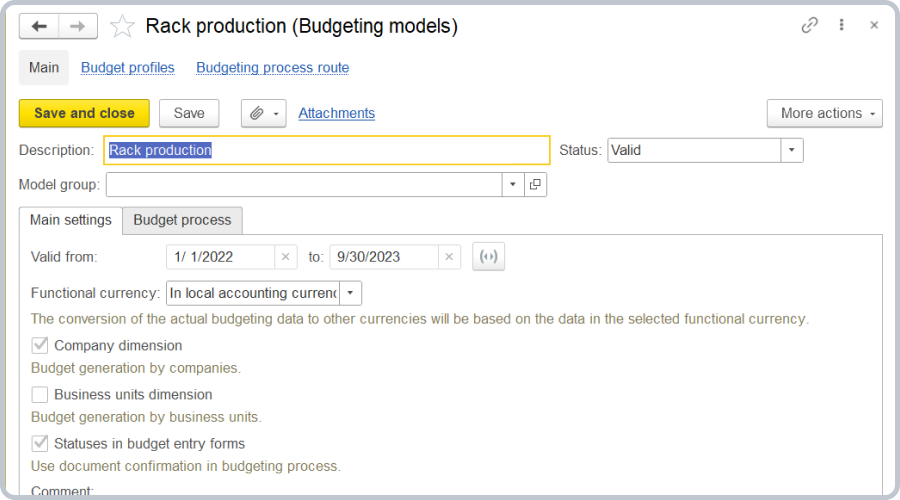
Shelving production (budgeting models)

Payment planning by sales forecasts and purchase plans. The integration capabilities of budgeting allow business models to incorporate data from various sources (such as sales forecasts, purchase plans, and production plans). The system supports automatic population of such dimensions as partners, counterparties, contracts, and cash flow items based on planning documents related to the company's trade and procurement activities. What's more, you can plan payments for the selected budget flow item, as well as separate planning of prepayments and payments after shipment.

Cash outflow control. The system enables real-time cash outflow control when a payment request is created. The classification by type is as follows: 

Permissive. Allows posting payment requests if the request amount does not exceed the limit balance. If the limit is exceeded, the payment request will be automatically locked for posting.
 Additionally restrictive. Sets an extra limit on top of the main limit. For example, there is a limit for a specific cash flow item, and an additional limit is required for a particular partner.
 Informational. Notifies users when a payment request exceeds the limit, but does not lock posting.

You can control cash outflow for any custom period (day, week, month, quarter, half-year, and year) and by any dimensions available in the "Payment request" document (for example, cash flow items, partners, business units, and so on).
Comparing actual and planned data

Comparison of forecasted and actual financial condition of an enterprise is carried out within the business model allowing different scenarios. 

For example, Quarterly plan and Quarterly plan adjusted for external factors) with evaluation of total amounts in the following currencies:

Transaction currency 
Scenario currency
 Management/local accounting currency

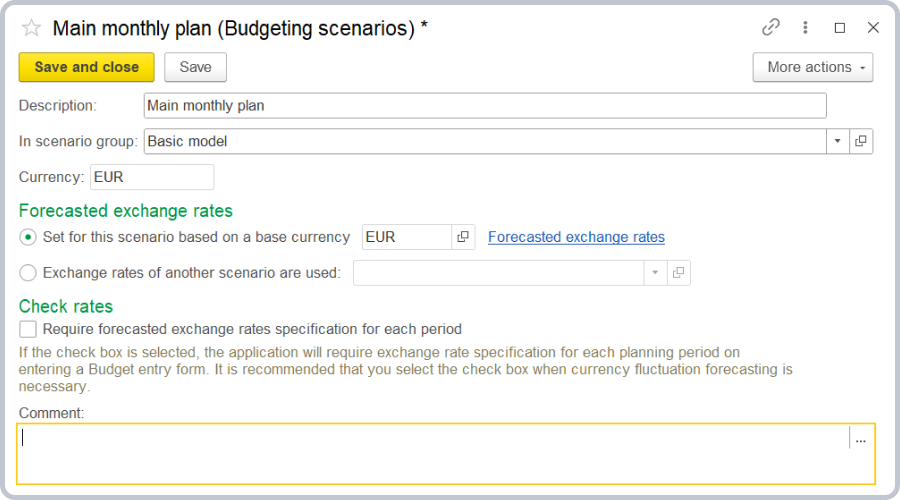
Monthly plan (budgeting scenarios)

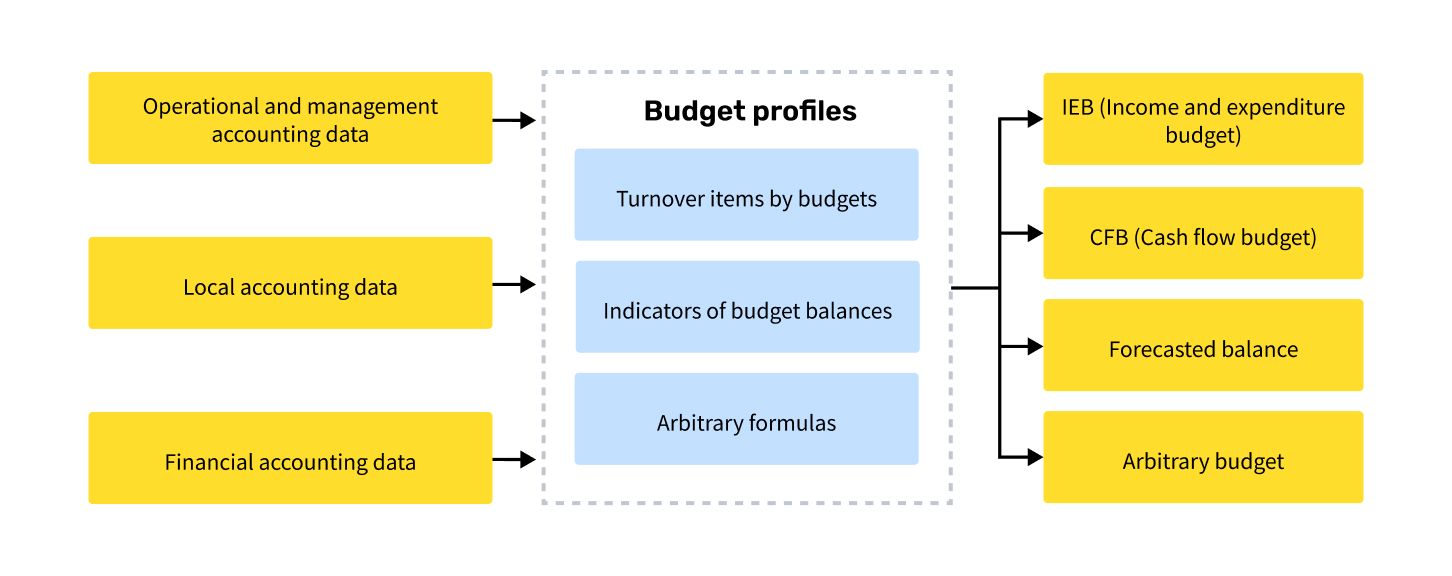
There are several sources of actual data for budgeting:

Operational accounting. Data sources are business transactions that allow one to identify the source of the amount for the selected transaction.
 Local/financial accounting. Data sources are balances and turnovers of accounts of the relevant chart of accounts.
Arbitrary data. Allows you to set up an arbitrary scheme for obtaining any actual data available in the accounting system.

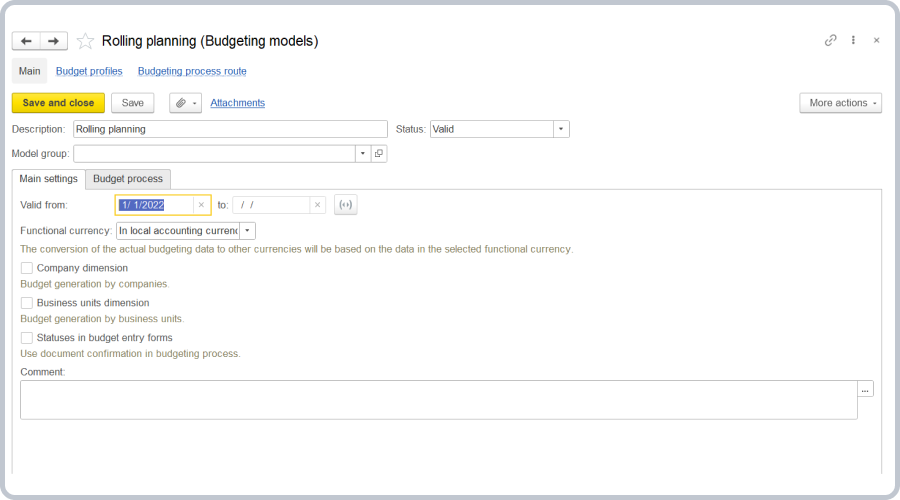
Rolling planning

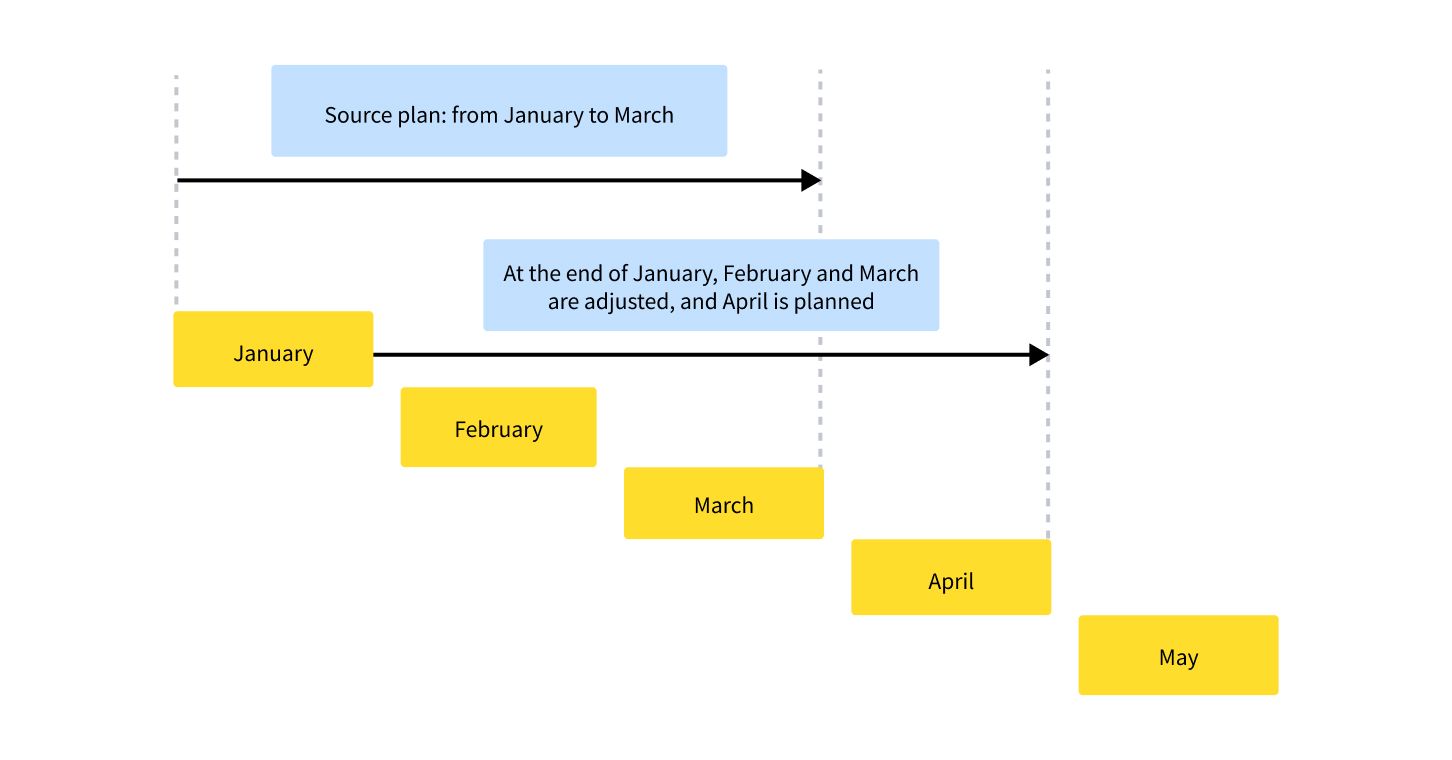
The Budgeting subsystem supports rolling planning, which is characterized by sequentially shifting the planning period by a multiple of the planning frequency.

After one period is over, adjustments are made to previously entered plans and new periods are added to maintain the total number of planned periods. For example, a monthly plan for 3 months ahead is updated every month for the next 3 months.

Rolling planning methodology / Setting up rolling planning in 1C:ERP 

Business model analysis

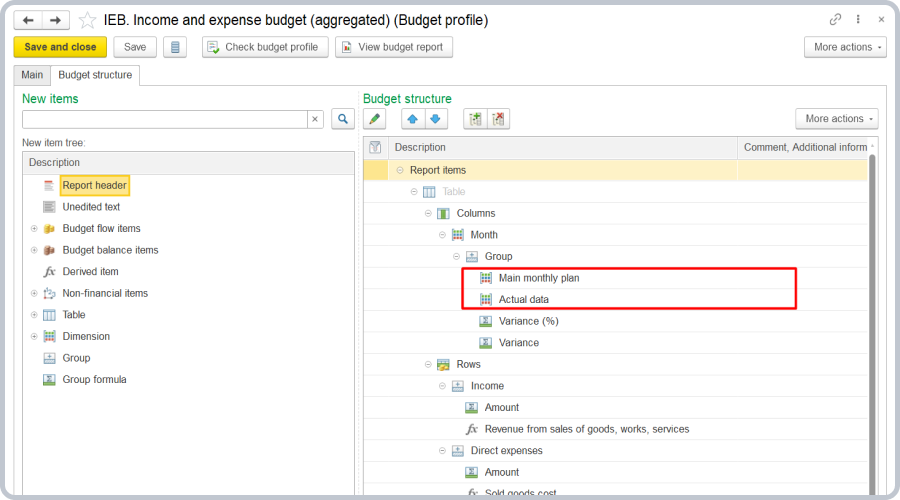
1C:ERP provides multiple report types enabling various analyses, such as plan vs. actual and plan vs. plan comparisons, including calculations of variances in amount or percentage terms.

You can use three types of budget reports for analysis:

Budget. Displays only the planned values.
Scenario comparison. Allows you to compare different plans and monitor budget flow item variances.
Variance analysis. Allows you to compare the selected scenario with the actual data obtained during the accounting period.

IEB (considering external factors) (Budget profile)

Budget process regulations

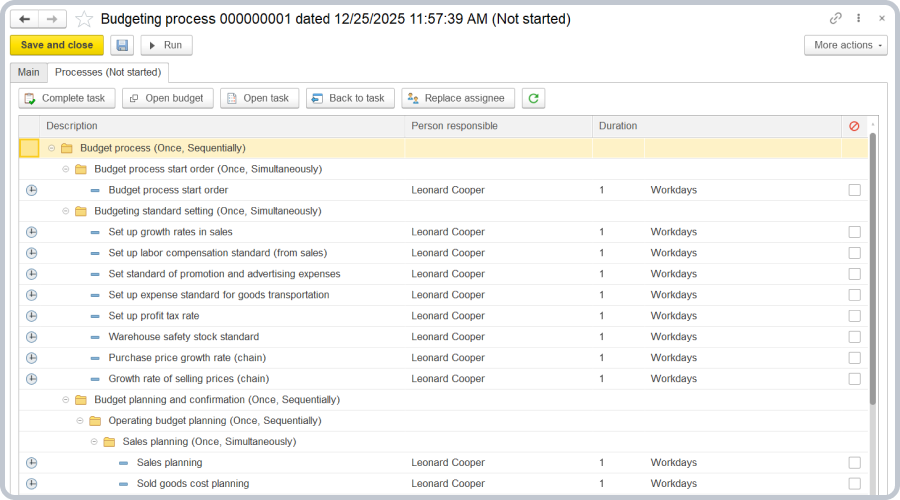
You can implement a budgeting campaign at an enterprise through the automation of management processes.

Budgeting regulations can be structured into clear stages of the budgeting process, with tasks assigned to responsible employees and progress monitoring.

Budgeting process

The budgeting process in the system involves presenting budgeting regulations as budget process steps: entering planned data, calculating plans, monitoring plan execution, and conducting variance analysis.
The system ensures responsibility of the assigned employees for task completion, allowing tasks to be sent to assignees by email and execution progress to be tracked. 

Assessing budgeting process execution

To simplify control over the timely execution of the budgeting process, there is the Budgeting process schedule workplace.

The key advantage of this workplace is the compact presentation of large amounts of data, which facilitates management decision-making based on visual assessment. Visual management tools allow you to see deviations from the set management tasks, lags behind the budget campaign deadlines, identify the causes, and take measures to improve efficiency.

In addition, the Budgeting process schedule allows you to quickly identify conflicts that arise when setting deadlines for budget tasks. For example, if the investment budget planning for the next month will not be completed prior to the month's commencement. In addition, the system supports comprehensive workload assessment for personnel involved in the budgeting process, as well as analysis of the volume of tasks assigned to users.

Request Demo

Apply for a free personalized product demo and see the value of
1C:ERP yourself.